
For web development, the most crucial task is the selection of a framework that fulfills your project’s demands. A widely adopted PHP framework is Laravel, which is developed on the MVC architecture. Its advanced features, elegant syntax, and active developers’ community are behind Laravel’s popularity for building web applications. Whether you are an experienced Laravel developer looking to deploy the Laravel MVC architecture or a beginner learning the Laravel framework, this blog explains everything in detail with easy coding examples to follow. Let’s get into it and master Laravel.
Why Laravel Matters in 2026
Laravel, an advanced PHP framework, is a blend of simplicity, elegance, and power. Being built on MVC architecture, it enables developers to design web applications swiftly. Furthermore, your app’s security and maintenance are ensured by organizing code into Model, View, and Controller.
As PHP remains the top choice for developers, so does the Laravel framework. Its speed, clean and structured code, scalability, and 24/7 active community support make it the favorite choice of developers in 2026.
What is the Laravel Framework?
Let’s decode “what is the Laravel framework?” It’s an open-source framework based on PHP, developed for building simple, structured, and faster web apps. It observes MVC architecture, helping it to organize code into 3 components:
- Model (Handles data)
- View (Handles views)
- Controller (Handles business logic)
Key Features of the Laravel Framework
Laravel PHP framework features make web development simple, ensure the scalability and security of apps, and boost productivity. Some top features are listed here:

Simple Authentication
Authentication is made simple with Laravel’s built-in authentication system. It has pre-built authentication routes, views, and controllers. Just with a few artisan commands, it is possible to reset passwords, register, and implement logic.
Laravel’s Blade Templating Engine
The powerful Blade templating engine of the Laravel framework allows developers to design reusable, modular, and dynamic HTML templates. It ensures template inheritance, data display with syntax, and reusable components for headers, footers, and buttons.
MVC Architecture
The MVC framework makes code maintainable, organized, and scalable by separating it into components.
Database Migration
Through database migrations, management becomes simple with Laravel. Here, without any issues, multiple developers can work. This approach makes collaboration easy within a team, skips errors, and makes it possible to track database changes.
Built-in Security
Various built-in security features of Laravel, including Bcrypt hashing, protection against XSS, CSRF attacks, and SQL injection, help protect against vulnerabilities.
Unit Testing
To make sure your app works fine, testing is important before the formal launch. Laravel makes it possible to run unit and feature tests effectively due to its support for PHPUnit.
Artisan Command Line Interface (CLI)
The Artisan CLI improves productivity by allowing developers to build models, migrations, and controllers. Also, it enables you to execute tests, queues, and database migrations.
Advanced Features of the Laravel PHP Framework
To handle complex applications, Laravel has several advanced features, including Eloquent ORM, caching, queues, and RESTful APIs:
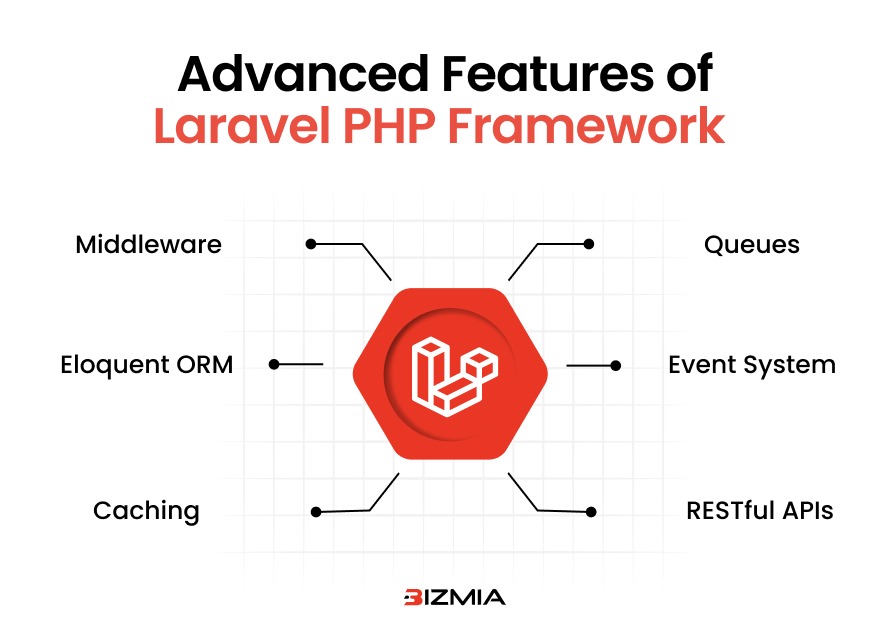
Middleware
For HTTP requests, Middleware is a filter. Even before your request reaches the controller, Middleware manages logging, authentication, or request modification.
You can follow this example on how to build an authentication middleware:
php artisan make:middleware CheckAge

<?php

namespace App\Http\Middleware;

use Closure;

use Illuminate\Http\Request;

class CheckAge {

   public function handle(Request $request, Closure $next) {

       if ($request->age < 18) {

           return redirect('home');

       }

       return $next($request);

   }

}

?>
Eloquent ORM
Laravel’s default ORM is Eloquent. With this ORM, database interactions become simple because, rather than working with raw SQL queries, it allows developers to work with PHP objects.
Caching
For caching, there’s a unified and simple API in Laravel. Caching is useful as it minimizes database queries and supports different caching drivers like Memcached, file-based cache, and Redis.
Queues
Laravel experts can defer time-consuming tasks, making application performance better. Such tasks include video processing, crafting reports, and sending mail.
Event System
You can easily delete code with Laravel’s event system. It is possible to trigger events at the time of action.
RESTful APIs
With the help of resources, controllers, and JSON, building RESTful APIs becomes simple. It ensures a clean API structure and is best for frontend frameworks.
What is MVC?
MVC in Laravel splits your app into three main components:
- First is Model: It takes care of business logic and the app’s data.
- Second is View: It manages the presentation of data and the user interface.
- Third is Controller: It works as a bridge between the other two components, Model and View. Controller processes requests and updates user interfaces.
MVC architecture makes apps easier to handle and extend, preventing monolithic code. The MVC layer gives multiple benefits like separation of concerns with each component, scalability, and maintainability. Developers can handle and work on all three components at the same time, making web development faster.
What are MVC Components?
Let’s get into each component in-depth:
Model
This component comes in direct contact with your database. Model retrieves data, manipulates it, and then stores it. Here’s how a Product model can be developed in Laravel MVC architecture:
<?php

namespace App\Models;

use Illuminate\Database\Eloquent\Model;

class Product extends Model {

   protected $fillable = ['name', 'price', 'description', 'stock'];

}

?>
View
This component is the user interface. The Controller gives data to the end user, and the View displays it. This component is managed in Laravel via Blade templates. View also enables you to emphasize UI design.
Controller
The Controller component is the core of MVC. It takes up user requests, processes data, and then sends results to the View layer.
The Laravel framework implements MVC, where Models come in contact with the database through Eloquent ORM, Views utilize Blade engine to render content, and Controllers manage business logic and user requests.
Top Benefits of MVC Structure in Laravel
- Easy to navigate and organized codebase
- Ensures smooth collaboration among developers and teams
- The best fit for enterprise-grade apps
- Separation of concerns makes feature and unit testing easier.
How to Build Your First Laravel Project in 2026
It’s always quite straightforward to begin a Laravel project, no matter whether you are a seasoned developer or a newbie. You can follow this guide step-by-step for smooth and effortless development:

1. Fulfill System Requirements
Even before installing Laravel, make sure your system is ready for it, including PHP >= 8.0, a web server Apache or Nginx, and MySQL/SQLite/PostgreSQL. Also, install Composer.
2. Install Laravel
With the help of a Composer, install Laravel. Then open a terminal and run this command:
composer create-project laravel/laravel my-app
Once Laravel is installed, navigate to the project directory.
3. Run Laravel Server
Start the default Laravel development server via this command:
php artisan serve
You will get a local server URL, by clicking it, you will have the ‘Laravel welcome page’.
4. Master Laravel Folder Structure
When you have developed your project, MVC architecture is followed by folder structure: ‘app/’ has Models, business logic, and Controllers, ‘app/Models’ here all models are stored, ‘app/Http,Controllers’ here all Controllers are stored. ‘routes/web.php here web routes are defined, ‘public/’ it contains index.php, JS, CSS, and images for the app.
Organized files make your apps maintainable and scalable.
5. Build a Sample Route, View, Controller
To create Route, Controller, and View, you can use these commands, respectively:
For Route:
Open routes/web.php and add:

Route::get('/hello', [App\Http\Controllers\HelloController::class, 'index']);
For Controller:
php artisan make:controller HelloController

Open app/Http/Controllers/HelloController.php and add:

<?php

namespace App\Http\Controllers;

use Illuminate\Http\Request;

class HelloController extends Controller {

   public function index() {

       $message = "Hello, welcome to Laravel!";

       return view ('hello', compact('message'));

   }

}

?>
For View:
<!DOCTYPE html>

<html>

<head>

   <title>Hello Laravel</title>

</head>

<body>

   <h1>{{ $message }}</h1>

</body>

</html>
6. Development with Artisan CLI
You can generate boilerplate code with Artisan CLI. For this, you may use this command to create a migration:
php artisan make:migration create_products_table –create=products
For development, you can also partner with the top Laravel development companies that operate around the globe.
A Comparison of Laravel VS Other PHP Frameworks
A quick snapshot of Laravel’s comparison with other PHP frameworks for your understanding:
Aspects | Laravel | CodeIgniter | Symfony |
Programming Language | PHP | PHP | PHP |
Architecture | MVC | MVC (light) | Component-based |
ORM | Eloquent | None | Doctrine |
Templating | Blade | PHP views | Twig |
Security | Built-in | Limited | Strong |
Ease of Learning | Easy | Very easy | Steep |
Speed | Fast | Fast | Slower |
Best For | Modern and scalable applications | Small projects | Enterprise applications |
Practical Laravel Coding Examples
Example # 1:
Blade Views Development with the Laravel framework:
@extends('layouts.app')

@section('content')

<h1>Products</h1>

<a href="{{ route('products.create') }}">Add Product</a>

<table border="1">

  <tr>

      <th>Name</th>

      <th>Price</th>

      <th>Description</th>

      <th>Actions</th>

  </tr>

  @foreach($products as $product)

  <tr>

      <td>{{ $product->name }}</td>

      <td>${{ $product->price }}</td>

      <td>{{ $product->description }}</td>

      <td>

          <a href="{{ route('products.edit', $product->id) }}">Edit</a>

          <form action="{{ route('products.destroy', $product->id) }}" method="POST" style="display:inline">

              @csrf

              @method('DELETE')

              <button type="submit">Delete</button>

          </form>

      </td>

  </tr>

  @endforeach

</table>

@endsection
Example #2:
Here’s how PHP developers build a controller with the Laravel framework:
<?php

namespace App\Http\Controllers;

use App\Models\Product;

use Illuminate\Http\Request;

class ProductController extends Controller {

  // Display all products

  public function index() {

      $products = Product::all();

      return view('products.index', compact('products'));

  }

  // Show form to create a new product

  public function create() {

      return view('products.create');

  }

  // Store new product

  public function store(Request $request) {

      Product::create($request->all());

      return redirect()->route('products.index');

  }

  // Show form to edit product

  public function edit(Product $product) {

      return view('products.edit', compact('product'));

  }

  // Update product

  public function update(Request $request, Product $product) {

      $product->update($request->all());

      return redirect()->route('products.index');

  }

  // Delete product

  public function destroy(Product $product) {

      $product->delete();

      return redirect()->route('products.index');

  }

}

?>
Wrapping Up
From basic to advanced Laravel features, each is useful for web development and makes Laravel a scalable, secure, and powerful framework in 2026. From large enterprises to first development projects, Laravel takes care of everything. Developers build secure, fast, and future-ready apps by leveraging Laravel’s MVC structure and practical implementations.